
RecallCue: Dementia Clock
In-app purchases

star
52 reviews

Everyone
info
5K+
Downloads


About this app
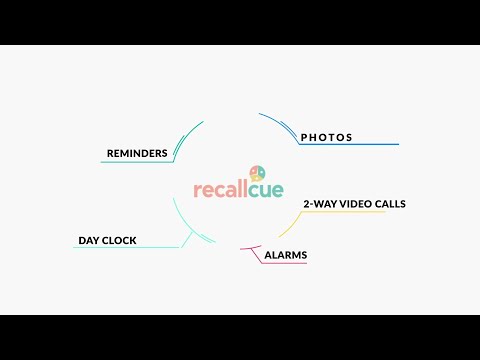
RecallCue turns any tablet into an easy to read Day Clock for dementia and memory loss. Caregivers can send reminders, photos, messages, and video check ins from their phone, from anywhere.
Built for seniors and people experiencing memory decline, early-stage dementia, or Alzheimer’s, and for the family members and care teams supporting them.
HOW IT WORKS
RecallCue is a two-device setup:
1) Tablet for your loved one: a hands-off Day Clock that’s simple to read and use
2) Phone for the caregiver: manage reminders and connection remotely
WHY FAMILIES USE RECALLCUE
- Helps reduce confusion about what day it is and what’s coming next
- Creates calm, predictable routines with reminders and schedules
- Makes it easier to stay connected even when you can’t be there in person
THE DEMENTIA FRIENDLY DAY CLOCK
- Clear display of day, date, time, and time of day (morning, afternoon, evening)
- Simple agenda view so today’s plan is always visible
- Large, high contrast design with adjustable settings
- Multiple languages supported
- Analog or digital clock options, plus 12 or 24-hour time format
CAREGIVER TOOLS
Reminders and alarms
- Set one-time or recurring reminders for routines, meals, appointments, and more
Messages and photos
- Send a message or photo that appears on the tablet to create comfort and connection
Two-way video calls
- Call for a quick check-in, with optional auto-answer settings to make it easier
Music
- Play familiar music and playlists to support a calming routine
Documents and files
- Upload and organize important information so it’s easy to access when it matters
Albums
- Create photo albums and schedule when images display on the tablet
SETUP NOTE
RecallCue works best with a dedicated Android tablet that stays plugged in and on display.
SUBSCRIPTION AND FREE TRIAL
Available as a monthly or annual subscription with no long-term commitment. Download today to unlock a week of free access.
NEED HELP
Email: support@recallcue.com
DISCLAIMER
RecallCue is not intended to cure dementia or mild cognitive impairment (MCI). It’s designed to support quality of life, daily orientation, and family communication.
Built for seniors and people experiencing memory decline, early-stage dementia, or Alzheimer’s, and for the family members and care teams supporting them.
HOW IT WORKS
RecallCue is a two-device setup:
1) Tablet for your loved one: a hands-off Day Clock that’s simple to read and use
2) Phone for the caregiver: manage reminders and connection remotely
WHY FAMILIES USE RECALLCUE
- Helps reduce confusion about what day it is and what’s coming next
- Creates calm, predictable routines with reminders and schedules
- Makes it easier to stay connected even when you can’t be there in person
THE DEMENTIA FRIENDLY DAY CLOCK
- Clear display of day, date, time, and time of day (morning, afternoon, evening)
- Simple agenda view so today’s plan is always visible
- Large, high contrast design with adjustable settings
- Multiple languages supported
- Analog or digital clock options, plus 12 or 24-hour time format
CAREGIVER TOOLS
Reminders and alarms
- Set one-time or recurring reminders for routines, meals, appointments, and more
Messages and photos
- Send a message or photo that appears on the tablet to create comfort and connection
Two-way video calls
- Call for a quick check-in, with optional auto-answer settings to make it easier
Music
- Play familiar music and playlists to support a calming routine
Documents and files
- Upload and organize important information so it’s easy to access when it matters
Albums
- Create photo albums and schedule when images display on the tablet
SETUP NOTE
RecallCue works best with a dedicated Android tablet that stays plugged in and on display.
SUBSCRIPTION AND FREE TRIAL
Available as a monthly or annual subscription with no long-term commitment. Download today to unlock a week of free access.
NEED HELP
Email: support@recallcue.com
DISCLAIMER
RecallCue is not intended to cure dementia or mild cognitive impairment (MCI). It’s designed to support quality of life, daily orientation, and family communication.
Caregiver day clock for dementia: reminders, photos, and quick video check-ins
Updated on
Safety starts with understanding how developers collect and share your data. Data privacy and security practices may vary based on your use, region, and age. The developer provided this information and may update it over time.


Ratings and reviews
46 reviews

Kim K
- Flag inappropriate
- Show review history
May 2, 2024
This was a pretty horrible experience. We subscribed, paid and were never able to access the clock. Now we've unsubsidized, but we have not had the app for more than 2 hours and it appears we will not be refunded. Pretty upset that something with such great potential, took our money without anything to show. We also tried finding an option to reach out to support before posting this. But we could not find that either. Just questions and answers that lead us down a rabbit hole.
2 people found this review helpful
RecallCue
April 30, 2024
Kim - I am sorry you had trouble getting the clock working. I don't see a record of you contacting support and asking for assistance. Feel free to reach out to support@recallcue.com and we will be happy to help you get this working or get you a refund.

Leah Azair
- Flag inappropriate
September 22, 2026
I started using RecallCue for my grandma and it’s been so helpful. I can set reminders, send her messages and photos, and update everything from my phone without needing to be there in person. The video calling feature has been especially useful because I have it set to auto answer so she doesn’t have to figure out how to answer the call herself. Their support team has also been really helpful, answering any questions I have.

Shua Hecht
- Flag inappropriate
June 14, 2026
Fewer reminder calls The alarms and reminders have saved me from calling my parent over and over throughout the day. Before using this, I was constantly reminding them about medications, meals, visitors, and appointments. Now the important things stay visible on the screen, and the alerts help bring attention to them at the right time. It has made the whole routine feel calmer.
2 people found this review helpful
What’s new
Thanks for choosing RecallCue! This release contains several important fixes and improvements.
App support
About the developer
Recallcue
support@recallcue.com
5454 Fargo Ave
Skokie, IL 60077
United States
+1 917-589-5982


